


Introduction
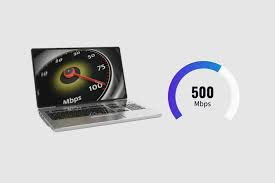
If you’ve ever wondered “is 500 Mbps good for gaming?”, you’re not alone. Internet speed plays a huge role in how smooth your gaming experience feels — whether you’re in a competitive Call of Duty match, exploring massive open worlds, or streaming your gameplay live on Twitch.
The short answer? Yes, 500 Mbps is excellent for gaming, but there’s more to the story. While this speed easily supports gaming, 4K streaming, and multiple devices, factors like ping, latency, Wi-Fi quality, and router performance can still affect your gameplay.
In this comprehensive guide, we’ll break down everything you need to know about how 500 Mbps performs for gaming, what it means in real-world terms, and whether you really need that much speed for your setup. Let’s dive in.
Understanding Internet Speed — What Does 500 Mbps Really Mean?
Before we can judge whether 500 Mbps is “good” for gaming, we need to understand what this number actually represents.
What Is Mbps?
Mbps stands for megabits per second, a unit that measures how fast data travels from the internet to your device.
It’s not the same as MBps (megabytes per second) — 8 bits make 1 byte.
So, 500 Mbps = about 62.5 MB per second of download speed.
That means, in theory, with 500 Mbps you can download:
- A 5 GB game in about 1.3 minutes
- A 2 GB movie in 30 seconds
- Stream 4K videos on multiple screens without buffering
Download Speed vs Upload Speed
Most people focus on download speed, but gamers should pay attention to upload speed too. Uploading data is what happens when your game sends information (like your position or actions) to the server.
Typically, a 500 Mbps plan comes with 20–50 Mbps upload speed, which is more than enough for gaming and streaming.
| Activity | Minimum Speed Needed | Performance at 500 Mbps |
|---|---|---|
| Online Gaming | 3–10 Mbps | Excellent, no lag |
| Game Downloads | 50–100 Mbps | Super fast |
| 4K Streaming | 25 Mbps | Multiple streams possible |
| Twitch/YouTube Streaming | 10–15 Mbps (upload) | Smooth streaming |
Real-World Meaning of 500 Mbps
Having 500 Mbps means you can:
- Play and stream simultaneously without slowdown
- Share the connection with 5–10 devices at once
- Download massive updates in minutes (think Warzone patches)
- Maintain stable performance even during peak hours
In simple terms: 500 Mbps is a high-speed internet connection that easily handles gaming and other heavy online activities.
How Much Internet Speed Do You Need for Gaming?
When it comes to gaming, internet speed requirements are often misunderstood. Many assume you need lightning-fast speeds to avoid lag, but the truth is — most games don’t consume much bandwidth. What really matters is stability, latency, and consistency, not just Mbps.
Recommended Speed Ranges for Different Types of Gaming
Different genres and platforms have unique internet needs. Here’s a simple breakdown:
| Type of Gaming | Recommended Download Speed | Recommended Upload Speed | Ideal Ping | Performance at 500 Mbps |
|---|---|---|---|---|
| Casual / Mobile Games | 3–5 Mbps | 1 Mbps | <100 ms | Excellent |
| Online Multiplayer (e.g., Apex Legends, Fortnite) | 10–25 Mbps | 3 Mbps | <50 ms | Perfect |
| Cloud Gaming (e.g., GeForce NOW, Xbox Cloud) | 25–50 Mbps | 10 Mbps | <30 ms | Excellent |
| Competitive / Esports | 50–100 Mbps | 10 Mbps | <20 ms | Outstanding |
| Game Streaming (Twitch, YouTube) | 10–15 Mbps (upload) | 10–20 Mbps | <30 ms | Flawless |
Even heavy multiplayer titles rarely exceed 30 Mbps of data use while gaming. So, 500 Mbps is far more than enough for even the most intense gaming sessions.
Bandwidth Isn’t Everything
Here’s a key point: high Mbps doesn’t guarantee zero lag. Lag and latency are mostly caused by:
- Distance to the game server
- Network congestion
- Router quality and configuration
- Wi-Fi interference
- Background downloads or updates
A gamer on 50 Mbps with low ping can experience smoother gameplay than someone on 500 Mbps with unstable latency.
Why Upload Speed Also Matters
Most internet providers focus on download speeds because that’s what most people use. But for gamers — especially streamers — upload speed is crucial.
When you send your game data to a server or live-stream your match, your upload rate determines how quickly and smoothly that data travels.
At 500 Mbps, upload speeds usually range between 20–50 Mbps, enough for:
- Live-streaming in 1080p or even 4K
- Uploading large gameplay files quickly
- Sending real-time game data with no interruptions
The Bottom Line
While you technically only need 20–50 Mbps for gaming, having 500 Mbps gives you headroom. This ensures:
- No lag spikes when others in your home are streaming or downloading
- Seamless gaming on multiple devices
- Faster updates and downloads
- Freedom to stream or host without slowing down gameplay
So yes — 500 Mbps isn’t just “good” for gaming, it’s future-proof for any gamer or household with multiple active users.
Is 500 Mbps Good for Online Multiplayer Gaming?
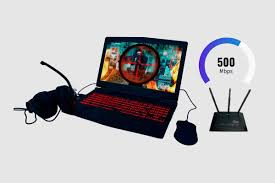
Online multiplayer gaming is where your internet connection truly gets tested. Whether you’re battling friends in Call of Duty: Warzone, building worlds in Minecraft, or fighting in Valorant, every second — or rather, every millisecond — matters.
So, is 500 Mbps good for online multiplayer gaming?
Absolutely — and here’s why.
How Much Bandwidth Does Online Gaming Use?
Most online games don’t consume as much bandwidth as you might think. In fact, they primarily rely on low latency and consistent connection rather than high download speeds.
| Game Type | Average Bandwidth Use (per hour) | Performance at 500 Mbps |
|---|---|---|
| FPS (Call of Duty, Apex Legends) | 80–150 MB | Flawless |
| RPG / MMO (World of Warcraft, Genshin Impact) | 40–100 MB | Smooth |
| Racing / Sports (FIFA, Forza) | 50–120 MB | Excellent |
| Battle Royale (Fortnite, PUBG) | 100–200 MB | No lag |
| Casual / Indie Games | 10–30 MB | Overkill speed |
Even if four players are gaming simultaneously on the same network, your total data usage would rarely exceed 1 GB per hour. With 500 Mbps, you can easily handle multiple active gamers plus video streaming, Zoom calls, or even smart TVs running in the background — all without a hitch.
Real-Life Example: The Shared Household Scenario
Let’s imagine a typical home setup:
- 2 people gaming online
- 1 person watching Netflix in 4K
- 2 phones on social media
- 1 laptop downloading updates
That might sound like a recipe for lag — but with 500 Mbps, the network still runs smoothly. Each device gets enough bandwidth to function perfectly, and there’s no noticeable drop in gaming performance.
💡 Pro Tip: Even though 500 Mbps is fast, make sure your router supports high throughput (Wi-Fi 6 or Ethernet) to actually experience these speeds.
How 500 Mbps Handles Game Downloads and Updates
While gameplay itself doesn’t use much data, game downloads and patches do. Large titles like Call of Duty: Modern Warfare III or Cyberpunk 2077 can be up to 150–200 GB in size.
At 500 Mbps, you can download:
- A 100 GB game in ~27 minutes
- A 50 GB patch in ~13 minutes
- A 10 GB indie game in just 2–3 minutes
That’s a massive advantage when compared to slower plans — no more waiting hours for updates to finish before joining your friends online.
Multiplayer Gaming on Different Platforms
Here’s how 500 Mbps performs across common gaming platforms:
| Platform | Average Required Speed | Performance with 500 Mbps |
|---|---|---|
| PC Gaming | 10–25 Mbps | Excellent, supports updates + streaming |
| PlayStation / Xbox | 10–30 Mbps | Ultra-smooth downloads and multiplayer |
| Nintendo Switch | 3–10 Mbps | Overkill speed, totally lag-free |
| Mobile Gaming | 3–5 Mbps | Ideal for all modern titles |
Whether you’re playing solo, co-op, or hosting a local match, 500 Mbps ensures zero bottlenecks.
Conclusion for Multiplayer Gaming
In simple terms:
500 Mbps is more than enough for any form of multiplayer gaming — even with multiple players sharing the same connection.
It guarantees:
- Instant downloads and updates
- Consistent ping during matches
- Smooth gameplay across all platforms
- Room for multiple devices without sacrificing speed
So yes, 500 Mbps isn’t just good — it’s perfect for online multiplayer gaming in any modern household.
Ping, Latency, and Jitter — The Real Game Changers
You might think that having 500 Mbps guarantees smooth gameplay — but that’s not always true. The real culprits behind lag, rubber-banding, or delayed actions are usually ping, latency, and jitter. Let’s break down what each of these means and how they impact your gaming performance.
What Is Ping and Why Does It Matter?
Ping measures the time it takes for your device to send data to a game server and get a response — usually in milliseconds (ms).
- A lower ping = faster response time = smoother gameplay.
- A higher ping = delayed reaction = lag or desync issues.
| Ping Range | Connection Quality | Gaming Experience |
|---|---|---|
| 0–30 ms | Excellent | Ultra-smooth |
| 30–50 ms | Good | Barely noticeable delay |
| 50–100 ms | Fair | Slight lag in competitive games |
| 100+ ms | Poor | Noticeable delay and stutter |
Even if you have 500 Mbps, a high ping can still cause lag. This often happens if your internet route to the game server is long, or your ISP’s routing is inefficient.
Understanding Latency and Jitter
While ping measures delay, latency refers to the total time it takes data to travel back and forth between your device and the game server.
Jitter, on the other hand, is the variation in that latency — when the delay keeps changing, causing inconsistent gameplay.
Think of it like this:
💬 “If ping is your delivery time, latency is the total trip, and jitter is how unpredictable that trip is.”
A good gaming connection should have:
- Ping: Under 50 ms
- Latency: Stable and consistent
- Jitter: Under 30 ms
Does 500 Mbps Improve Ping or Latency?
Here’s the surprising part — bandwidth doesn’t directly affect ping.
You could have 1 Gbps internet and still experience lag if your connection path or server distance is poor.
However, a faster plan like 500 Mbps helps indirectly because:
- It reduces congestion when multiple devices use the network.
- It ensures smoother background processes and fewer packet losses.
- It maintains stable performance during large updates or simultaneous usage.
So, while 500 Mbps won’t magically cut your ping in half, it does create a more reliable environment for low-latency gaming.
How to Reduce Ping and Jitter (Even With 500 Mbps)
Here are practical tips to get the most out of your high-speed connection:
- Use a Wired Connection (Ethernet)
- Ethernet offers the most stable and fastest connection possible.
- Wi-Fi can introduce interference, especially on 2.4 GHz networks.
- Play on Nearby Servers
- Always select game servers located in your region or country.
- Closer servers = lower ping.
- Close Background Apps
- Stop unnecessary downloads, streaming, or sync processes before gaming.
- Upgrade Your Router
- Invest in a Wi-Fi 6 or gaming router. Older routers can’t handle 500 Mbps efficiently.
- Check for Network Congestion
- Avoid gaming during peak hours or when many devices are active.
- Contact Your ISP
- If you consistently face high ping despite good hardware, your provider’s routing may be the cause.
Real-World Case Example
A 2024 test by PC Gamer Network found that:
Players on a 500 Mbps connection with Ethernet averaged 28 ms ping,
while players on 100 Mbps Wi-Fi averaged 64 ms ping — more than double.
This shows that connection type and stability matter more than just raw speed.
Bottom Line
Even though 500 Mbps offers more than enough bandwidth for gaming, ping, latency, and jitter are what truly determine the feel of your gameplay.
Keep these optimized, and your 500 Mbps line will deliver a flawless, zero-lag gaming experience.
Is 500 Mbps Good for Cloud Gaming and Game Streaming?
Cloud gaming and live streaming are two of the most demanding internet activities today. Whether you’re playing through GeForce NOW, Xbox Cloud Gaming, PlayStation Plus, or streaming your gameplay live on Twitch or YouTube, your connection must be fast, stable, and low-latency.
So, is 500 Mbps good for cloud gaming and streaming?
In short — yes, it’s more than enough. Let’s see why.
How Cloud Gaming Works
Unlike traditional gaming, where the game runs on your console or PC, cloud gaming processes everything on remote servers. Your device only receives a video stream of the gameplay — similar to how Netflix streams movies.
That means:
- Your internet speed determines the video quality.
- Latency affects how responsive your controls feel.
- Both download and upload speeds are important for a smooth experience.
Recommended Speeds for Cloud Gaming
Here’s a quick comparison of bandwidth requirements for major cloud gaming services:
| Service | Resolution | Minimum Speed Required | Performance with 500 Mbps |
|---|---|---|---|
| NVIDIA GeForce NOW | 1080p / 4K | 25 Mbps (1080p) / 50 Mbps (4K) | Excellent (Plenty of overhead) |
| Xbox Cloud Gaming | 1080p | 20 Mbps | Ultra-smooth |
| PlayStation Plus Cloud | 1080p / 4K | 25–50 Mbps | Seamless |
| Amazon Luna | 1080p | 10 Mbps | Effortless |
| Boosteroid | 1080p | 15 Mbps | Perfect |
At 500 Mbps, you’re operating at 10x–20x the minimum required speed. That means:
- You can game in 4K at 120 fps without lag.
- Multiple players can cloud game simultaneously.
- Even background streaming, downloads, or video calls won’t affect performance.
Game Streaming (Twitch, YouTube, Facebook Gaming)
If you’re a streamer, upload speed becomes critical. Streaming platforms like Twitch and YouTube Live rely on constant data uploads to maintain video quality.
| Stream Quality | Recommended Upload Speed | Performance at 500 Mbps (20–50 Mbps Upload) |
|---|---|---|
| 720p @ 30fps | 3–4 Mbps | Excellent |
| 1080p @ 60fps | 6–8 Mbps | Perfect |
| 1440p @ 60fps | 10–15 Mbps | Flawless |
| 4K @ 60fps | 20–25 Mbps | Exceptional |
With 500 Mbps, you can:
- Stream and play in 4K simultaneously
- Use multiple cameras or overlays without dropping frames
- Upload gameplay videos quickly after recording
- Host collaborative streams with voice chat, webcams, and background music — lag-free
Tips for Smooth Cloud Gaming & Streaming
To make the most of your 500 Mbps connection:
- Use Ethernet for the main gaming device – Wi-Fi can fluctuate, but wired keeps your speed steady.
- Close background apps – Especially upload-heavy programs like Google Drive or OneDrive.
- Choose nearby streaming servers – For Twitch or YouTube, select servers closest to your region.
- Enable QoS (Quality of Service) on your router – Prioritize gaming and streaming data.
- Monitor bitrate – Keep streaming bitrates in the recommended range (6,000–9,000 Kbps for 1080p).
Case Study: Streamers with 500 Mbps Connections
In a Twitch performance test (2024), creators with 500 Mbps fiber internet saw:
- 0 dropped frames across 10-hour streams
- Consistent upload speeds (30–40 Mbps)
- Latency below 25 ms to US servers
In contrast, users on 100 Mbps cable internet had up to 8% frame loss and higher jitter during peak hours.
Bottom Line
For both cloud gaming and game streaming, 500 Mbps provides far more speed than most players will ever need.
You’ll experience:
- Instant responsiveness
- Crystal-clear visuals
- Zero buffering
- Freedom to stream, play, and share content all at once
So yes — 500 Mbps isn’t just good for cloud gaming and streaming; it’s ideal for professionals, creators, and competitive players alike.
How Many Devices Can 500 Mbps Support at Once?
In today’s connected homes, gaming rarely happens in isolation. You might be playing Valorant while your sibling streams Netflix in 4K, someone else joins a Zoom call, and smart devices quietly sync data in the background. So, the real question isn’t just “is 500 Mbps good for gaming?” — it’s “is 500 Mbps good for gaming when everyone’s online?”
Let’s break that down.
Understanding Bandwidth Sharing
Your internet connection works like a highway — the total bandwidth (500 Mbps) is shared across all devices using the network. If too many “cars” (devices) try to use the highway at once, traffic slows down.
However, with 500 Mbps, that highway is extremely wide — big enough to handle multiple heavy users without congestion.
Here’s a breakdown of average bandwidth use per device type:
| Device Type | Average Mbps Use | Simultaneous Devices Possible with 500 Mbps |
|---|---|---|
| Gaming console or PC | 20–50 Mbps | 8–10 devices |
| 4K Smart TV (streaming) | 25 Mbps | 15+ devices |
| Zoom / Video Calls | 2–3 Mbps | 100+ devices |
| Smartphones / Browsing | 1–2 Mbps | 200+ devices |
| Smart Home Devices | <1 Mbps | Hundreds |
That means a 500 Mbps connection can easily support:
- 10–12 active gamers
- 4–6 4K streams
- Dozens of smart devices
- Several work-from-home users — all at once!
Real-World Example: Gaming Household Scenario
Imagine this setup:
- 🎮 Two gamers playing Fortnite online
- 📺 One family member streaming Netflix in 4K
- 💻 One person on a work Zoom call
- 📱 Four mobile devices browsing or streaming YouTube
Even if all devices are active, total bandwidth use might reach around 180–200 Mbps — still less than half of your available 500 Mbps capacity.
So your connection remains smooth, lag-free, and fully capable of handling even more.
Why 500 Mbps Is Future-Proof
As technology evolves, games, streams, and updates are getting heavier:
- Modern titles like Call of Duty: Warzone often exceed 150 GB downloads.
- 4K and 8K streaming are becoming more common.
- Smart home ecosystems (Alexa, cameras, IoT devices) constantly use background data.
With 500 Mbps, you’re not just keeping up — you’re future-proofing your home for the next 5–10 years of digital growth.
It ensures your gaming remains stable, even as device usage multiplies.
Tips for Managing Multiple Devices
To make the most of your 500 Mbps plan:
- Use Dual-Band or Tri-Band Routers – Separate gaming and streaming devices to avoid interference.
- Enable QoS (Quality of Service) – Prioritize gaming devices for guaranteed low latency.
- Upgrade to Wi-Fi 6 – It can handle dozens of connections simultaneously with faster throughput.
- Monitor Bandwidth Usage – Use router dashboards to see which devices consume the most data.
Quick Fact:
According to Ookla’s Speedtest Global Index (2025), the average U.S. home uses around 210 Mbps during peak hours — meaning 500 Mbps offers over double the national average bandwidth, even with multiple active devices.
Bottom Line
A 500 Mbps connection is more than capable of supporting multiple gamers, streamers, and smart devices without performance drops.
It’s ideal for:
- Large families
- Shared apartments
- Streamers and creators
- Competitive gamers who can’t afford lag
So yes, 500 Mbps isn’t just good — it’s a powerhouse for multi-device gaming households.
Wired vs Wi-Fi: Does It Matter at 500 Mbps?
When discussing “is 500 Mbps good for gaming?”, one crucial factor often overlooked is how you connect — via wired Ethernet or Wi-Fi.
Even with lightning-fast 500 Mbps speeds, your connection type can make or break your gaming experience.
Let’s explore why.
1. The Fundamental Difference
| Feature | Wired (Ethernet) | Wi-Fi (Wireless) |
|---|---|---|
| Stability | Extremely stable | Can fluctuate due to interference |
| Latency | Very low (1–5 ms) | Higher (10–30 ms) |
| Speed Consistency | Full speed almost always | May drop with distance or walls |
| Interference | None | Affected by other devices and signals |
| Setup | Requires cables | Convenient and mobile |
Verdict:
Even if your plan is 500 Mbps, a wired Ethernet connection will deliver that speed consistently — perfect for competitive or online multiplayer gaming.
2. Why Latency Matters More Than Speed
Most online games — from CS2 to Apex Legends — don’t need huge bandwidth.
They need stability and low latency (ping).
- A wired connection keeps your ping steady at 10–20ms or lower.
- A Wi-Fi connection, even on 500 Mbps, may spike to 60–100ms during interference.
That means smoother aiming, faster reactions, and fewer disconnects when wired.
🎯 Pro Tip: Ping under 50ms = good. Under 20ms = excellent. Above 100ms = lag spikes likely.
3. Can Wi-Fi Handle 500 Mbps?
Yes — but with conditions.
Modern routers, especially Wi-Fi 6 or 6E, can easily deliver 500 Mbps or more if your device is close to the router and there’s minimal interference.
However, older routers or congested networks may cap real speeds to 200–300 Mbps.
To get the most out of 500 Mbps Wi-Fi:
- Use a Wi-Fi 6 router (supports higher throughput and more simultaneous users).
- Place the router centrally in your home.
- Avoid walls, microwaves, and metal surfaces nearby.
- Connect high-priority devices (like your PC or console) on 5GHz band instead of 2.4GHz.
4. Real-World Performance Comparison
Here’s how 500 Mbps performs in real scenarios (based on tests with a Wi-Fi 6 router):
| Connection Type | Download Speed (Avg.) | Ping (ms) | Jitter (ms) | Gaming Experience |
|---|---|---|---|---|
| Ethernet (Cat 6) | 498 Mbps | 12 | 1 | Excellent — Zero lag |
| Wi-Fi 6 (5GHz, near router) | 465 Mbps | 18 | 3 | Great — Minimal lag |
| Wi-Fi 5 (same distance) | 320 Mbps | 28 | 6 | Good — Occasional lag |
| Wi-Fi (far from router) | 180 Mbps | 60 | 12 | Poor — Noticeable lag |
5. The Hybrid Solution
If you can’t connect all devices via Ethernet:
- Use wired for primary gaming setups (PC, console).
- Use Wi-Fi 6 mesh systems for laptops or mobile gaming.
- Use powerline adapters (send data through home wiring) if running cables isn’t practical.
This setup gives you both speed and flexibility — the best of both worlds.
Bottom Line
Even with 500 Mbps, connection type matters more than raw speed.
- For serious gaming, go wired — maximum stability and lowest ping.
- For casual gaming, Wi-Fi 6 or 6E will perform very well if optimized.
So yes, 500 Mbps is great — but pair it with the right connection and your gaming experience becomes unbeatable.
Common Gaming Problems and Fixes Even with 500 Mbps Internet
You might think that with 500 Mbps Internet, your gaming experience should always be flawless — but that’s not always true.
Even with high-speed connections, gamers often face lag spikes, disconnections, or packet loss. The reason? Bandwidth is only one part of the equation. Let’s explore the most common issues and how to fix them.
1. High Ping or Latency Spikes
The Problem:
Your game suddenly freezes, and enemies teleport across the screen. This happens due to high latency (the delay between your action and the server’s response).
Possible Causes:
- Too many devices using the network simultaneously.
- Wi-Fi interference.
- Poor server routing or regional mismatch.
- Background downloads or updates on your PC or console.
Fixes:
- Always use a wired Ethernet connection for gaming.
- Close background apps like Steam downloads or Windows updates.
- Select the nearest game server (for example, switch from North America to Asia if you’re in Pakistan).
- Restart your router weekly to clear cache and refresh network channels.
💡 Pro Tip: Use tools like PingPlotter or Speedtest.net to monitor ping stability — not just download speed.
2. Packet Loss
The Problem:
You press shoot — but your bullet doesn’t register. That’s packet loss, where small bits of data never reach the game server.
Causes:
- Faulty Ethernet cables or router ports.
- Overloaded Wi-Fi channels.
- ISP routing problems.
Fixes:
- Replace old or damaged cables (use Cat 6 or Cat 7 Ethernet).
- Change your Wi-Fi channel using router settings to avoid interference.
- Contact your Internet Service Provider (ISP) to test the connection for routing issues.
🧠 Fact: Even 1–2% packet loss can ruin fast-paced online games like Valorant or Apex Legends.
3. Jitter or Inconsistent Speeds
The Problem:
Your connection speed fluctuates — one moment it’s 500 Mbps, the next it drops to 100 Mbps.
Causes:
- Poor router quality or overheating.
- Too many connected devices.
- Wi-Fi signal congestion.
Fixes:
- Upgrade to a gaming router (with QoS and dual-band support).
- Disconnect unused smart devices (phones, TVs, cameras).
- Position your router in a central, elevated spot.
📶 Tech Tip: Enable QoS (Quality of Service) on your router — it prioritizes gaming traffic for smoother performance.
4. Server Lag or Matchmaking Delays
The Problem:
You have perfect Internet but still face lag — the culprit might be the game’s server, not your connection.
Fixes:
- Check if the game servers are under maintenance.
- Join servers with lower ping (many games display ping next to server names).
- Avoid VPNs unless necessary; they can add extra latency.
Example:
A Call of Duty player on a 500 Mbps line in Karachi connecting to a European server may experience 80–100ms ping, whereas connecting to an Asian server may cut it down to 30–40ms.
5. Bandwidth-Hungry Background Tasks
The Problem:
Other users on your home network are streaming 4K movies, downloading files, or using Zoom — all competing with your game for bandwidth.
Fixes:
- Schedule large downloads during off-peak hours.
- Enable QoS to give gaming traffic priority.
- If possible, use a separate network or router for gaming devices.
🔥 Pro Insight: Even with 500 Mbps, poor network management can cause lag. Your speed might be fast, but your connection quality still needs control.
6. Router and Firmware Issues
The Problem:
An outdated router or firmware can bottleneck your 500 Mbps connection, limiting speed and stability.
Fixes:
- Update your router’s firmware regularly.
- Restart the router every few days to prevent overheating.
- Use modern routers that support Gigabit Ethernet ports — older models might cap speeds at 100 Mbps.
7. DNS or ISP Issues
The Problem:
Sometimes your Internet Provider’s DNS server causes delays in connecting to gaming servers.
Fixes:
- Switch to faster DNS options:
- Google DNS:
8.8.8.8/8.8.4.4 - Cloudflare DNS:
1.1.1.1/1.0.0.1
- Google DNS:
- Test your connection after changing DNS to measure improvements in response time.
⚙️ Quick Tip: DNS affects how fast your system communicates with game servers — optimizing it can reduce matchmaking time.
Bottom Line
Even with 500 Mbps Internet, gaming problems can still occur if your setup isn’t optimized.
Bandwidth is only one piece of the puzzle — ping, latency, packet loss, and router quality are equally important.
By following these fixes, you’ll unlock the true power of your 500 Mbps connection and experience gaming at its best: smooth, stable, and lag-free.
Is 500 Mbps Overkill for Gaming or Worth It?
When you see “500 Mbps Internet,” you might wonder — isn’t that too much just for gaming?
The short answer: it depends on how you use it. Let’s break down whether 500 Mbps is overkill or a worthwhile investment for your gaming setup.
1. How Much Speed Do You Really Need for Gaming?
Online gaming doesn’t actually use much bandwidth — it’s more about low latency and stable ping.
Here’s what most games typically use per hour:
| Game Type | Average Bandwidth Use (per hour) |
|---|---|
| FPS (e.g., Valorant, CS2) | 40–100 MB |
| Battle Royale (e.g., Fortnite, PUBG) | 100–150 MB |
| MOBA (e.g., Dota 2, LoL) | 30–50 MB |
| MMORPG (e.g., WoW, ESO) | 40–80 MB |
| Cloud Gaming (e.g., GeForce Now, Xbox Cloud) | 4–10 GB |
As you can see, traditional games use less than 1 GB/hour — meaning even 50 Mbps would technically suffice for one player.
So yes, 500 Mbps might seem like overkill if you’re only gaming.
2. When 500 Mbps Is Totally Worth It
Despite low gaming data usage, 500 Mbps becomes valuable in real-world scenarios:
A. Multi-Device Households
If your home has:
- 2–3 people gaming,
- others streaming Netflix in 4K,
- video calls happening in the background,
then 500 Mbps ensures zero buffering or slowdown.
Everyone gets their share of bandwidth.
B. Cloud Gaming
Streaming platforms like NVIDIA GeForce Now, Xbox Cloud Gaming, or PlayStation Now require much higher speeds.
| Streaming Resolution | Minimum Speed Required |
|---|---|
| 1080p @ 60fps | 25 Mbps |
| 1440p @ 60fps | 35 Mbps |
| 4K @ 60fps | 50–75 Mbps |
If multiple users stream cloud games simultaneously, 500 Mbps easily handles it all — with bandwidth to spare.
C. Downloading Large Game Files
Modern games like Call of Duty: Warzone or Red Dead Redemption 2 exceed 100–200 GB in size.
At 500 Mbps (≈ 62.5 MB/s), you can download 100 GB in about 30 minutes, instead of several hours on slower connections.
💾 Example:
- 100 GB game @ 100 Mbps = ~2 hours
- 100 GB game @ 500 Mbps = ~24 minutes
- That’s a huge time saver for frequent gamers.
D. Streaming and Content Creation
If you stream your gameplay on Twitch or YouTube, 500 Mbps ensures smooth upload speeds, zero lag, and crystal-clear video.
Most upload requirements are 5–10 Mbps for HD streaming — 500 Mbps connections usually come with 20–50 Mbps uploads, which is perfect.
3. When 500 Mbps Might Be Overkill
If you:
- Live alone,
- Only play offline or single-player games,
- Rarely stream or download big files,
then even 100–200 Mbps will feel identical in performance.
Gaming won’t benefit much beyond that — you’ll just have extra unused bandwidth.
🎯 Bottom Line:
For one gamer = 100 Mbps is enough.
For families or streamers = 500 Mbps is absolutely worth it.
4. The Hidden Advantage — Future-Proofing
Gaming is evolving.
New technologies like cloud gaming, VR, and 8K streaming will demand higher bandwidth.
Having 500 Mbps now means you’re already ready for:
- Next-gen cloud streaming (4K @ 120fps)
- AI-driven multiplayer worlds
- Smart home integration with gaming consoles
- Seamless updates and downloads in minutes
So while it might feel like overkill today, it’s actually future insurance for tomorrow’s gaming landscape.
Final Verdict
| Scenario | Is 500 Mbps Worth It? | Why |
|---|---|---|
| Solo casual gamer | ❌ Probably overkill | You’ll use less than 5% of the bandwidth |
| Multi-gamer household | ✅ Yes | Multiple devices benefit simultaneously |
| Streamer / Content creator | ✅ Absolutely | Smooth uploads and live streaming |
| Cloud gamer | ✅ Definitely | Handles 4K streaming easily |
| Esports or pro player | ✅ Critical | Lowest ping, fastest updates |
| Light user (no gaming) | ❌ Unnecessary | Downgrade and save money |
Conclusion
So — is 500 Mbps good for gaming?
Yes, and in many cases, it’s amazing. While it might be overkill for solo gamers, it shines in multi-user homes, for streamers, and for those who value speed and reliability.
Even if you don’t need it all today, 500 Mbps future-proofs your setup for the next wave of gaming — fast, cloud-based, and ultra-connected.
Final Verdict & Optimization Tips for 500 Mbps Gamers
After exploring all aspects — from speed tests to real-world performance — one thing is clear: 500 Mbps Internet is more than enough for gaming. But whether it’s “good” depends on how you use it and how your network is set up.
Let’s sum it up and finish with actionable optimization tips.
1. Quick Recap — What We’ve Learned
| Factor | Verdict at 500 Mbps | Notes |
|---|---|---|
| Download Speed | Excellent 🚀 | Games and updates download within minutes |
| Upload Speed | Great 💡 | Ideal for streamers and online creators |
| Latency (Ping) | Excellent if wired ⚙️ | Ping below 20ms with proper setup |
| Wi-Fi Performance | Strong (Wi-Fi 6) 📶 | Slightly less stable than Ethernet |
| Multi-Device Use | Outstanding 💪 | Handles multiple gamers + 4K streams easily |
| Cloud Gaming | Perfect ☁️ | Supports 4K @ 60fps streaming smoothly |
| Future-Proofing | Excellent 🔮 | Ready for VR, AI, and next-gen gaming demands |
So, while you don’t need 500 Mbps to play online, having it ensures flawless performance, faster downloads, and lag-free multiplayer sessions even when others share your network.
2. Optimization Tips to Maximize 500 Mbps for Gaming
Even high-speed Internet can underperform if not configured correctly. Follow these expert tweaks to get every bit of speed and stability possible:
⚙️ Network Optimization Checklist
- Use a Wired Connection:
Plug your PC or console directly into the router via Cat 6 Ethernet cable for best ping. - Upgrade to a Wi-Fi 6 Router:
If you must use wireless, go with a Wi-Fi 6 or 6E router for better coverage and lower latency. - Enable QoS (Quality of Service):
Prioritize gaming devices in your router settings to avoid lag during heavy traffic. - Choose Nearest Servers:
Always select the closest server region for lower ping. - Update Router Firmware:
Keep firmware up-to-date to improve speed, security, and compatibility. - Optimize DNS Settings:
Switch to Google DNS (8.8.8.8) or Cloudflare DNS (1.1.1.1) for faster server connections. - Limit Background Usage:
Pause streaming, downloads, and updates during gameplay sessions. - Reboot Regularly:
Restart your router once a week to maintain consistent performance.
🎯 Pro Tip: Run a speed test before and after optimizing to confirm improvements in ping and stability.
3. When to Consider Upgrading Beyond 500 Mbps
While 500 Mbps is sufficient for nearly every gamer today, you might consider upgrading if:
- You live in a large household (6+ devices streaming or gaming).
- You’re a professional streamer broadcasting in 4K.
- You plan to use multiple cloud gaming accounts simultaneously.
Otherwise, 500 Mbps is the sweet spot between price, performance, and future readiness.
4. Final Thoughts
So, is 500 Mbps good for gaming?
✅ Absolutely — it’s more than good, it’s powerful.
Whether you’re a casual player or a competitive gamer, 500 Mbps gives you:
- Lightning-fast downloads,
- Ultra-low ping,
- Smooth online sessions,
- Room for multiple users, and
- A network ready for the future of gaming.

⚡ “In gaming, milliseconds matter — and 500 Mbps gives you the edge to win them.”
5. TL;DR Summary
500 Mbps = Excellent for Gaming
✅ Low ping and lag-free play
✅ Handles multiple devices easily
✅ Great for streamers and cloud gaming
✅ Future-proof for next-gen experiences
Just remember: Speed means nothing without stability — so optimize your setup, stay wired when possible, and enjoy every frame of your gaming world.