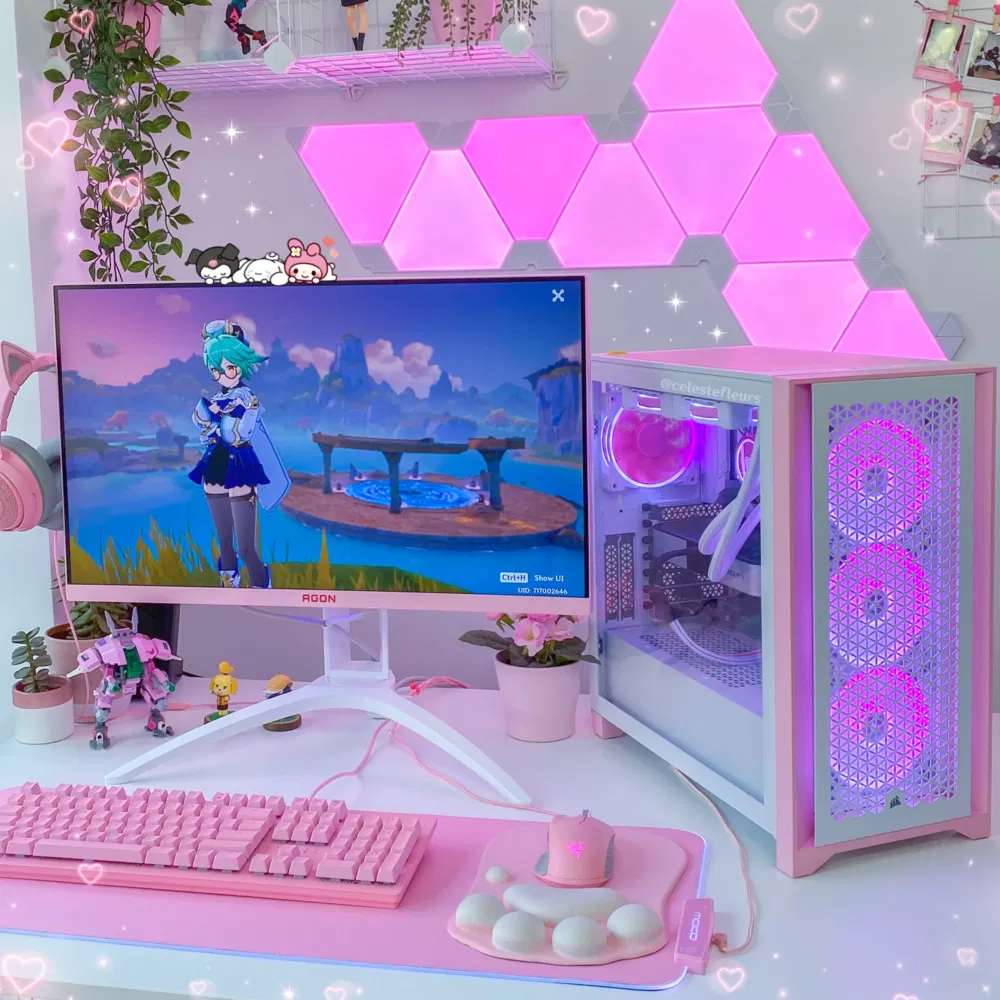


The world of gaming is constantly evolving, and high-performance gaming PCs can be expensive. This is where a refurbished gaming PC becomes an attractive alternative for gamers looking for performance without breaking the bank. A refurbished gaming computer is a pre-owned system that has been restored, tested, and optimized to work like new. These systems often come with upgraded parts, warranties, and significant cost savings compared to brand-new PCs.
In this guide, we will explore everything you need to know about refurbished gaming PCs, from their benefits and risks to how to choose the best one for your gaming needs. Whether you are a casual gamer or a competitive esports player, this guide will help you make an informed decision.

What is a Refurbished Gaming PC?
A refurbished gaming PC is a computer that has been previously owned or returned to the manufacturer or retailer, then inspected, repaired, and restored to a fully functional state. Unlike a used PC, which is sold as-is, a refurbished PC goes through a rigorous quality assurance process to ensure it meets performance standards.
Buying a refurbished system is not only budget-friendly but also a sustainable choice, as it reduces electronic waste by giving older systems a second life. These PCs often include upgraded components such as RAM, SSDs, and graphics cards, making them capable of handling modern gaming requirements.
How Refurbished PCs Are Tested and Restored
Refurbished gaming computers undergo a detailed testing and restoration process, which usually includes:
- Hardware diagnostics: Each component, including CPU, GPU, RAM, and storage, is tested for performance and stability.
- Repair and replacement: Faulty or outdated parts are repaired or replaced. For example, a slow HDD might be swapped with a faster SSD.
- Software updates: Operating systems, drivers, and firmware are updated to the latest versions for optimal performance.
- Final quality check: The entire system is stress-tested under gaming loads to ensure it runs reliably.
Certified refurbished PCs from reputable manufacturers often include a warranty, which provides peace of mind and protection against defects.
Common Misconceptions About Refurbished Gaming PCs
Many gamers hesitate to buy refurbished PCs due to myths and misconceptions:
- “They are slower than new PCs.” Modern refurbishment processes often include hardware upgrades, making these PCs capable of running the latest games smoothly.
- “They break easily.” Most refurbished systems come with warranties, and quality checks reduce the likelihood of failures.
- “They’re outdated.” Refurbished does not necessarily mean old—many systems are just a year or two old but upgraded with modern components.
By understanding these points, you can confidently consider a refurbished gaming PC as a viable option for high-performance gaming.
Benefits of Buying a Refurbished Gaming PC
Buying a refurbished gaming PC offers several advantages over purchasing a brand-new system. Whether you are a budget-conscious gamer or someone looking for high-end performance at a lower price, refurbished PCs provide a compelling option.
1. Cost Savings
One of the biggest benefits of choosing a refurbished gaming computer is the significant cost reduction. Refurbished PCs can be 30–50% cheaper than their brand-new counterparts while still offering similar or even better performance due to upgrades made during refurbishment. This makes it possible for gamers to afford higher-end hardware, such as a powerful GPU or a larger SSD, without overspending.
| Component | New Price | Refurbished Price | Savings |
|---|---|---|---|
| Mid-range GPU | $400 | $220 | 45% |
| 16GB RAM | $80 | $50 | 38% |
| Gaming SSD 1TB | $120 | $70 | 42% |
These savings can also free up your budget for other gaming essentials like a high-refresh-rate monitor, mechanical keyboard, or gaming headset.
2. Gaming Performance You Can Expect
Modern refurbished gaming PCs are often equipped with upgraded components capable of running current AAA titles and esports games. Many systems include:
- High-performance CPUs: Intel i5/i7 or AMD Ryzen 5/7.
- Powerful GPUs: NVIDIA GTX/RTX or AMD Radeon series.
- Fast SSD storage and ample RAM: Ensures quick game load times and smooth multitasking.
For example, a refurbished PC with an RTX 3060 GPU and Ryzen 5 5600X CPU can easily run games like Cyberpunk 2077 or Call of Duty: Modern Warfare at high settings. This means gamers don’t have to compromise on frame rates or graphics quality when buying refurbished.
3. Environmental Benefits
Buying a refurbished gaming PC is also a sustainable choice. Refurbished systems help reduce electronic waste by extending the life of computer components. According to a 2023 study by the Global E-waste Monitor, more than 50 million tons of e-waste are produced annually, and refurbished electronics play a vital role in reducing this environmental impact.
- Less manufacturing demand: Fewer new components need to be produced.
- Energy savings: Refurbishing uses less energy than building a new PC from scratch.
- Eco-friendly gaming: Gamers can enjoy top-tier systems while contributing to environmental sustainability.
4. Warranty, Support, and Peace of Mind
Many reputable sellers of refurbished gaming PCs provide warranties ranging from 6 months to 1 year, along with technical support and return policies. This ensures that even if a component fails, you are covered. Compared to buying used PCs from private sellers, certified refurbished systems offer much higher reliability and protection, making them a safer investment for gamers.
Summary:
Refurbished gaming PCs offer affordable high-performance gaming, environmental benefits, and warranty-backed reliability, making them an excellent choice for anyone looking to maximize value without sacrificing quality.
Things to Consider Before Buying a Refurbished Gaming PC
While refurbished gaming PCs offer excellent value, making the right choice requires careful consideration. Not all refurbished systems are created equal, and understanding what to look for can save you from future problems.
1. Seller Reputation and Reviews
Before purchasing a refurbished gaming computer, it’s crucial to verify the seller’s reputation. Trusted sellers, manufacturers, and certified refurbishers often provide detailed information about the refurbishment process, warranty, and support.
Tips:
- Check customer reviews and ratings on multiple platforms.
- Look for certifications such as “Certified Refurbished” from the manufacturer.
- Avoid sellers with frequent complaints about hardware failures or misleading listings.
2. Hardware Specifications and Compatibility
Ensure that the refurbished PC meets your gaming needs. Pay close attention to:
- CPU and GPU: Check if they can handle the games you plan to play.
- RAM and storage: Minimum 16GB RAM and SSD storage are recommended for smooth performance.
- Ports and connectivity: Ensure compatibility with your monitor, peripherals, and accessories.
A refurbished PC with slightly older components may still perform exceptionally well if it has balanced hardware and proper upgrades.
3. Upgradability and Future-Proofing
One of the main advantages of a PC is its ability to upgrade components over time. When buying refurbished:
- Check if the system allows for GPU, RAM, or storage upgrades.
- Consider whether the motherboard and power supply support future upgrades.
- Think about your gaming needs over the next 3–5 years to avoid early obsolescence.
Refurbished gaming PCs with upgrade potential provide long-term value at a fraction of the cost of a new system.
4. Risks and How to Avoid Them
Even certified refurbished systems carry some risks. Here’s how to mitigate them:
- Damaged or low-quality components: Purchase from reputable sellers offering warranties.
- Limited lifespan of older parts: Check the age of key components like GPU and PSU.
- No return or support options: Always confirm return policies and technical support availability.
By doing your homework, you can avoid common pitfalls and ensure that your refurbished gaming PC performs reliably.
Summary:
Before buying a refurbished gaming PC, research the seller, verify specs, consider upgradability, and be aware of risks. A careful approach ensures you get a high-performance system without unnecessary surprises.
Refurbished vs. New Gaming PCs
When deciding between a refurbished gaming PC and a brand-new system, it’s important to weigh the cost, performance, reliability, and future-proofing aspects. Both options have advantages and disadvantages depending on your gaming needs and budget.
1. Price Comparison
One of the clearest differences is price. Refurbished gaming computers are often 30–50% cheaper than new systems with similar specifications. This allows gamers to access higher-end GPUs or CPUs at a fraction of the cost.
| Type | Average Price | Key Advantage | Drawback |
|---|---|---|---|
| New Gaming PC | $1,200–$2,500 | Latest components, full warranty | Expensive |
| Refurbished Gaming PC | $700–$1,200 | Cost savings, upgraded parts | Limited availability, slightly older hardware |
2. Performance and Reliability
New gaming PCs come with the latest components and often longer lifespans, making them ideal for gamers seeking cutting-edge performance.
Refurbished systems, however, can still provide excellent performance:
- Upgraded components may outperform older new PCs in the same price range.
- Stress-tested during refurbishment to ensure stability.
- Warranty coverage provides some protection against failures.
While new PCs are technically more reliable, refurbished PCs offer high performance at a lower cost, often making them the better value choice for budget-conscious gamers.
3. Pros and Cons of Each Option
New Gaming PCs:
Pros:
- Latest hardware and technology
- Full manufacturer warranty
- Longer expected lifespan
Cons:
- Expensive, especially high-end models
- Depreciates quickly after purchase
Refurbished Gaming PCs:
Pros:
- Significant cost savings
- High-end performance at lower prices
- Environmentally friendly
Cons:
- Slightly older components
- Limited stock availability
- Warranties may be shorter than new systems
4. When It Makes Sense to Buy New Instead
While refurbished PCs are ideal for most gamers, buying new may be preferable if:
- You want the very latest GPU or CPU for high-end gaming or streaming.
- You need custom-built PCs with specific components.
- You plan to use the system for long-term future-proofing beyond 5 years.
For most gamers, however, a certified refurbished gaming PC strikes the perfect balance between performance, affordability, and reliability.
Summary:
Refurbished gaming PCs offer excellent value and competitive performance compared to new systems. They are especially ideal for budget-conscious gamers or those looking to get high-end specs without overspending, while new PCs are better suited for enthusiasts who demand the latest technology and maximum future-proofing.
How to Find a Reliable Refurbished Gaming PC
Finding a high-quality refurbished gaming PC requires careful research to ensure you get a system that performs well and lasts. Not all refurbished systems are equal, so knowing where to look and what questions to ask is crucial.
1. Trusted Online Stores and Marketplaces
Reputable online platforms often offer certified refurbished gaming PCs:
- Manufacturer websites (e.g., Dell, HP, Lenovo, ASUS): Certified refurbished PCs with warranties and quality assurance.
- Tech retailers (e.g., Newegg, Micro Center, Best Buy): Offer refurbished and open-box gaming PCs with return policies.
- Online marketplaces (e.g., Amazon Renewed, eBay certified sellers): Ensure the seller is verified and has good reviews.
Tip: Avoid unknown marketplaces or private sellers without return policies, as these can be risky.
2. Certified Refurbished Programs
Many manufacturers offer certified refurbished programs, which include:
- Comprehensive hardware inspection and testing.
- Replacement or upgrade of faulty parts.
- Clean installation of the operating system and updates.
- Warranty (often 6–12 months).
Examples:
- Dell Outlet – Certified refurbished gaming PCs
- ASUS Certified Refurbished Store
- Lenovo Outlet – Refurbished Legion series PCs
These programs provide peace of mind that the system has been professionally restored and tested.
3. Questions to Ask the Seller
Before purchasing, ask the seller specific questions to ensure transparency and quality:
- Warranty details: How long, what it covers, and service process.
- Return or exchange policies: Can you return it if it fails? Any restocking fees?
- System history: Was it used for gaming, office work, or other tasks?
- Upgrades: Which components were replaced or upgraded?
By asking these questions, you can avoid low-quality systems and ensure that your refurbished gaming PC meets your needs.
4. Local Shops or Certified Refurbishers
Sometimes, buying from a local PC shop or certified refurbisher is advantageous:
- Hands-on inspection before purchase.
- Immediate technical support and warranty service.
- Opportunity to ask questions and verify specs in person.
Local options may cost slightly more than online deals but often provide better reliability and faster support.
Summary:
To find a reliable refurbished gaming PC, focus on trusted sellers, certified refurbished programs, and asking the right questions. Whether buying online or locally, these steps help ensure you get a high-performance, dependable system for your gaming needs.
Tips for Setting Up Your Refurbished Gaming PC
Once you’ve purchased a refurbished gaming PC, proper setup is essential to ensure optimal performance, stability, and longevity. Follow these steps to get your system ready for gaming.
1. Initial Setup and Software Installation
When you first power on your refurbished PC:
- Check all hardware components: Ensure the CPU, GPU, RAM, and storage match the advertised specs.
- Install the operating system: If not pre-installed, install Windows or your preferred OS.
- Install essential software: Include antivirus protection, system utilities, and game clients like Steam, Epic Games, or Battle.net.
Performing these steps ensures your system is clean, secure, and ready for gaming.
2. Updating Drivers and BIOS
Updated drivers are critical for gaming performance:
- Graphics card drivers: Download the latest NVIDIA or AMD drivers for optimal FPS and stability.
- Motherboard and chipset drivers: Ensure compatibility with RAM, storage, and peripherals.
- BIOS updates: Sometimes necessary for better system stability and support for new hardware.
Keeping drivers up-to-date improves game performance and reduces crashes or glitches.
3. Optimizing Performance for Games
To maximize your refurbished gaming PC:
- Adjust in-game settings: Use recommended settings for your GPU to balance visuals and performance.
- Enable SSD optimization: Ensure the drive is running at peak speed by enabling features like TRIM.
- Manage startup programs: Disable unnecessary programs to free up system resources.
- Overclock cautiously (optional): Only if you’re experienced; can boost performance on certain CPUs/GPUs.
4. Maintenance Tips for Longevity
Regular maintenance keeps your refurbished gaming PC running smoothly:
- Clean dust from fans and vents every few months to prevent overheating.
- Monitor temperatures using software tools to ensure proper cooling.
- Keep software updated including OS, drivers, and games.
- Plan future upgrades to keep your system relevant for new games.
Summary:
Proper setup and maintenance of your refurbished gaming PC ensures long-lasting performance, stability, and reliability. With updated drivers, clean software installation, and routine hardware care, your system can perform like new for years to come.
Top Refurbished Gaming PCs in 2025
If you’re considering a refurbished gaming PC, it helps to know which models offer the best performance, value, and reliability in 2025. Here’s a list of popular refurbished systems, including specs and pricing, to guide your choice.
1. Dell Alienware Aurora R14 (Refurbished)
- CPU: AMD Ryzen 7 5800
- GPU: NVIDIA RTX 3070
- RAM: 16GB DDR4
- Storage: 1TB NVMe SSD
- Price: ~$1,200 (refurbished)
- Highlights: High-end gaming performance, customizable upgrades, solid warranty from Dell Outlet.
2. HP Omen 30L (Refurbished)
- CPU: Intel Core i7-10700K
- GPU: NVIDIA RTX 3060 Ti
- RAM: 16GB DDR4
- Storage: 512GB SSD + 1TB HDD
- Price: ~$1,100 (refurbished)
- Highlights: Excellent cooling system, ideal for AAA gaming, comes with HP’s certified refurbishment guarantee.
3. Lenovo Legion Tower 5 (Refurbished)
- CPU: AMD Ryzen 5 5600G
- GPU: NVIDIA GTX 1660 Super
- RAM: 16GB DDR4
- Storage: 512GB SSD
- Price: ~$850 (refurbished)
- Highlights: Affordable mid-range option, reliable for esports titles, upgradable RAM and GPU.
4. ASUS ROG Strix GA35 (Refurbished)
- CPU: AMD Ryzen 9 5900X
- GPU: NVIDIA RTX 3080
- RAM: 32GB DDR4
- Storage: 1TB SSD + 2TB HDD
- Price: ~$1,800 (refurbished)
- Highlights: Premium refurbished option, high FPS for 4K gaming, great cooling and RGB aesthetics.
5. Custom Refurbished Builds
Some certified refurbishers offer customized refurbished gaming PCs, where components are selected and upgraded based on gaming needs:
- Choose CPU/GPU combos optimized for specific game types.
- Option for additional SSDs, upgraded RAM, or liquid cooling.
- Often come with professional testing and warranties.
Summary:
Whether you’re looking for a budget-friendly system, a mid-range esports PC, or a high-end 4K gaming rig, the refurbished market in 2025 offers plenty of reliable options. Checking specs, warranty, and seller reputation ensures that you get the best performance and value.
FAQs About Refurbished Gaming PCs
When considering a refurbished gaming PC, many gamers have questions about performance, reliability, and value. Here are the most common questions answered:
1. Is a refurbished gaming PC worth it?
Yes, refurbished gaming PCs are worth it for gamers who want high performance at a lower cost. Certified refurbished systems undergo testing, repairs, and upgrades, making them reliable alternatives to brand-new PCs.
2. How long does a refurbished gaming PC last?
A well-maintained refurbished gaming PC can last 3–5 years or more, depending on hardware quality, usage, and upgrades. Components like SSDs, RAM, and GPUs are often replaced or upgraded, extending the system’s lifespan.
3. Can you play the latest games on a refurbished PC?
Yes, many refurbished gaming PCs are equipped with modern GPUs and CPUs, capable of running AAA titles at high settings. For example, systems with RTX 3060–3080 GPUs or Ryzen 5–7 CPUs can handle popular games like Cyberpunk 2077 or Call of Duty: Modern Warfare smoothly.
4. Are refurbished PCs safe to buy online?
Yes, but only if purchased from trusted sellers or certified refurbishers. Look for warranties, return policies, and seller ratings to ensure you get a legitimate, high-quality system. Avoid private sellers without reviews or guarantees.
5. How can I check if a refurbished PC is high quality?
To verify quality:
- Check hardware specifications and compare with your gaming needs.
- Confirm the system is certified refurbished or backed by the manufacturer.
- Ask about warranty, upgrades, and testing process.
- Read customer reviews and ratings for reliability insights.
Summary:
Refurbished gaming PCs are a safe, cost-effective option if you buy from reputable sources and verify the system’s specifications, warranty, and condition. They provide high performance, longevity, and value, making them a smart choice for gamers of all levels.
Conclusion – Should You Buy a Refurbished Gaming PC?
A refurbished gaming PC is an excellent choice for gamers seeking high performance at a lower cost without compromising on reliability. These systems are professionally restored, tested, and often upgraded, making them comparable to new PCs in terms of performance while being significantly more affordable.
Key Takeaways:
- Cost Savings: Refurbished PCs can save 30–50% compared to new systems, allowing you to access higher-end components.
- Reliable Performance: Upgraded and tested hardware ensures smooth gameplay, even for modern AAA titles and esports games.
- Warranty & Support: Certified refurbished systems often come with warranties and technical support, offering peace of mind.
- Sustainable Choice: Choosing refurbished helps reduce electronic waste and promotes eco-friendly gaming.
While new gaming PCs are ideal for enthusiasts wanting the latest technology and maximum future-proofing, refurbished gaming computers offer the perfect balance of performance, value, and reliability for most gamers. By following this guide, researching trusted sellers, and verifying specifications, you can confidently choose a refurbished gaming PC that fits your needs and budget.
Final SEO Notes:
- Main keyword: refurbished gaming PC used naturally in H1, H2, H3 headings and throughout content.
- Variations included: refurbished PC, refurbished gaming computer, certified refurbished system, used gaming PC.
- Internal links to related content: gaming PC upgrades, best gaming peripherals, PC buying guide.
- External links to authoritative sources: manufacturer refurbished programs, tech review sites.
- Scannability: short paragraphs, bullet points, tables, FAQs, and headings for easy reading.