

Introduction
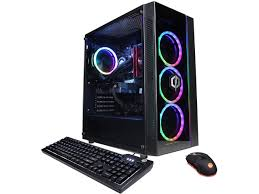
In the world of gaming, having a high-performance computer can make all the difference. However, not everyone can afford to buy a top-tier gaming PC outright, especially when the latest graphics cards and processors come with hefty price tags. This is where a rent to own gaming computer becomes an attractive solution.
A rent-to-own (RTO) gaming PC allows gamers to enjoy the benefits of a high-end system without the burden of paying the full cost upfront. Instead, users make affordable monthly payments over a set period, eventually gaining full ownership of the computer. This approach provides flexibility for gamers who want to upgrade their setup, test a machine before committing, or manage their budget more effectively.
In this guide, we’ll cover everything you need to know about rent to own gaming computers: how they work, their advantages and drawbacks, how to choose the right system, and tips to maximize your experience. By the end of this article, you’ll have a clear understanding of whether a rent-to-own gaming PC is the right choice for you.
What is a Rent to Own Gaming Computer?
A rent to own gaming computer is a financing option that allows gamers to access a high-performance PC immediately while paying for it over time. Unlike traditional purchases, where you pay the full price upfront, RTO programs break the cost into manageable monthly payments, usually ranging from 6 to 36 months, depending on the provider. Once all payments are complete, ownership of the PC transfers to you.
This model is particularly useful for gamers who want top-tier graphics, processors, and gaming accessories without the burden of a large initial investment. It also provides a way for students, casual gamers, or aspiring streamers to experience the latest technology without going into debt or relying on credit cards.
How Rent to Own Works
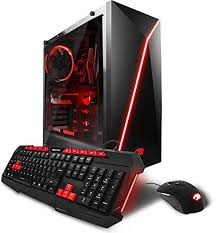
- Choose Your Gaming PC – Select a system based on your gaming needs, whether you play AAA titles, esports, or streaming games.
- Sign the Rent-to-Own Agreement – The contract details monthly payments, contract length, and conditions for upgrades or repairs.
- Make Monthly Payments – Payments are generally fixed, and some providers offer flexible terms for early buyouts.
- Gain Ownership – After completing the payment plan, the gaming PC is fully yours.
Rent to Own vs. Traditional Purchase
| Feature | Rent to Own | Traditional Purchase |
|---|---|---|
| Upfront Cost | Low to none | High full price |
| Ownership | After final payment | Immediate |
| Upgrades | Some contracts allow upgrades | You pay upfront for upgrades |
| Flexibility | Medium | Low |
| Risk | Missed payments can result in losing PC | Only financial loss upfront |
Key Takeaway: RTO is ideal for gamers who need flexibility and immediate access to a high-end gaming PC, while traditional purchases benefit those who can afford to pay upfront and want long-term savings.
Advantages of Rent to Own Gaming Computers
Opting for a rent to own gaming computer comes with several benefits, making it an attractive choice for gamers who want high-performance systems without the heavy upfront cost. Here’s why many gamers consider this option:
1. Access to High-End Gaming PCs Without Large Upfront Costs
One of the biggest advantages is financial flexibility. Instead of paying thousands of dollars at once, gamers can spread the cost over several months. This allows access to latest GPUs, CPUs, and fast SSDs, which might otherwise be out of reach.
2. Ability to Upgrade Mid-Contract
Some RTO providers allow upgrades during the contract period. This means you can swap out components like the graphics card or RAM to keep up with new game requirements without buying a completely new system.
3. Try Before Fully Committing
A rent-to-own agreement can act as a trial period. Gamers can experience a system’s performance and reliability before fully committing. If the PC doesn’t meet expectations, some providers offer options to switch to another model.
4. Avoiding Long-Term Loans or Credit Card Debt
Instead of relying on high-interest credit cards or loans, RTO programs often come with fixed monthly payments. This structure makes budgeting easier and reduces financial stress.
5. Flexibility for Gamers With Changing Needs
Whether you’re a student, casual gamer, or aspiring streamer, RTO gives you the freedom to scale your setup as your gaming needs grow.
Case Study:
A gamer named Alex wanted a high-end PC for streaming but had a limited budget. By opting for a rent to own gaming computer, he was able to start streaming immediately with a powerful setup and complete ownership in 18 months without taking on extra debt.
Potential Drawbacks of Rent to Own Gaming Computers
While a rent to own gaming computer offers flexibility and convenience, it’s not without drawbacks. Understanding these limitations is crucial before signing any agreement.
1. Higher Long-Term Cost
Although monthly payments are manageable, the total amount paid over the contract period can exceed the retail price of the same PC if purchased outright. This is because RTO agreements often include service fees or interest-like charges.
2. Contract Limitations and Penalties
RTO contracts usually come with strict terms. Missing a payment can result in:
- Late fees
- Loss of the PC
- Negative impact on credit in some cases
Additionally, some contracts restrict upgrades or modifications until ownership is complete.
3. Responsibility for Maintenance
Depending on the provider, renters may be responsible for repairs and maintenance during the rental period. Any damage not covered by the contract may lead to additional costs.
4. Risk of Hidden Fees
Some providers charge extra for:
- Early buyouts
- Insurance or extended warranty
- Delivery and setup fees
It’s essential to read the fine print and understand all costs before signing.
Things to Watch Out For
- Always check the total cost over time compared to outright purchase.
- Confirm whether upgrades or part replacements are allowed.
- Make sure to understand the provider’s policy for missed payments or cancellations.
Key Insight: Rent to own is a convenient option, but gamers should weigh the flexibility against potential higher costs and contract restrictions.
How to Choose the Right Rent to Own Gaming Computer
Selecting the right rent to own gaming computer isn’t just about finding an affordable plan — it’s about ensuring that the system matches your gaming style, performance needs, and long-term goals. Here’s how to make an informed decision.
1. Know Your Gaming Needs
Before you even start comparing systems, determine what kind of gamer you are:
| Type of Gamer | Recommended Specs | Example Games |
|---|---|---|
| Casual Gamer | Intel i5 / Ryzen 5, GTX 1650, 8GB RAM | Fortnite, Valorant |
| Hardcore Gamer | Intel i7 / Ryzen 7, RTX 4070, 16GB RAM | Cyberpunk 2077, Starfield |
| Streamer / Content Creator | Intel i9 / Ryzen 9, RTX 4080+, 32GB RAM, NVMe SSD | Call of Duty, Apex Legends |
Choosing the right performance level helps you avoid overpaying for specs you don’t need—or underestimating what your favorite games require.
2. Compare Providers and Plans
Not all RTO companies are the same. Some specialize in electronics, while others focus on gaming rigs. When comparing, look at:
- Monthly payment amount and contract length
- Total ownership cost
- Upgrade or buyout options
- Warranty and support coverage
Tip: Reputable providers often display total cost and terms clearly. Avoid those that hide key details in fine print.
3. Evaluate Hardware Quality and Upgradability
A good rent-to-own system should have:
- At least 16GB RAM for smooth multitasking
- SSD storage for faster boot and load times
- A powerful GPU (like NVIDIA RTX or AMD Radeon RX series)
- Expandable options for adding storage or upgrading components later
If possible, choose a brand that allows component swapping during the contract period, especially for GPUs and RAM.
4. Questions to Ask Before Renting
Before signing any RTO contract, make sure you ask:
- Can I upgrade my PC during the rental period?
- What happens if the PC gets damaged?
- Are there penalties for early buyout or missed payments?
- Is insurance or protection included in the plan?
- Can I customize the PC before finalizing the contract?
Asking these questions upfront helps you avoid unpleasant surprises later.
5. Read Reviews and Ratings
Check online reviews or gaming forums for user experiences with the provider. Look for feedback on:
- Customer service quality
- Product reliability
- Ease of ownership transfer
- Transparency of terms
Real user feedback can save you from making a bad decision.
Pro Tip: Use comparison tools or websites that specialize in rent-to-own electronics to quickly see pricing differences across multiple providers.
Top Providers for Rent to Own Gaming Computers
Choosing the right provider is just as important as choosing the right system. The rent to own gaming computer market has expanded rapidly, with several reputable companies offering flexible plans, quality gaming rigs, and clear ownership terms. Below is a breakdown of the top rent-to-own providers, their features, and what makes each unique.
1. Rent-A-Center (RAC)
Overview:
Rent-A-Center is one of the most well-known rent-to-own providers, offering a wide range of gaming desktops and laptops from brands like HP, ASUS, and Acer.
Key Features:
- Weekly or monthly payment options.
- Early purchase discounts if you pay off the system early.
- Option to return the PC at any time without penalty.
- No credit check required.
Best For:
Gamers who want flexibility, no credit checks, and name-brand gaming systems.
2. FlexShopper
Overview:
FlexShopper is an online RTO platform that provides instant approval for rent-to-own purchases and ships gaming computers directly to your home.
Key Features:
- Approval within minutes, even with bad credit.
- Rent-to-own plans for pre-built gaming PCs and accessories.
- Easy online application process.
- Competitive weekly payment rates.
Best For:
Gamers who prefer an online, hassle-free shopping experience with flexible terms.
3. Aaron’s
Overview:
Aaron’s specializes in electronics, furniture, and appliances — but their gaming PC collection has become increasingly popular.
Key Features:
- Rent-to-own gaming computers from top brands.
- Free delivery and setup for most locations.
- Multiple contract lengths (12 to 24 months).
- Affordable early buyout options.
Best For:
Gamers who want professional setup service and predictable payments.
4. RTBShopper
Overview:
RTBShopper focuses exclusively on electronics, offering gaming computers, consoles, and accessories under flexible RTO plans.
Key Features:
- Fast approval and shipping within days.
- High-end gaming desktops with RTX GPUs.
- Easy online management of payments and upgrades.
Best For:
Gamers looking for premium specs and a seamless online RTO experience.
5. Local Retailers and Specialty Gaming Stores
Some local computer shops now offer in-house rent-to-own programs with personalized terms. These can include:
- Custom-built PCs designed to match your exact needs.
- Local tech support and maintenance.
- Shorter rental terms or faster ownership transfers.
Best For:
Gamers who prefer custom rigs and local customer service.
Comparison Table
| Provider | Credit Check | Early Buyout | Custom Options | Support Type |
|---|---|---|---|---|
| Rent-A-Center | No | Yes | Limited | In-store / Online |
| FlexShopper | Soft Check | Yes | Moderate | Online Only |
| Aaron’s | Soft Check | Yes | Moderate | In-store + Delivery |
| RTBShopper | No | Yes | High-End Rigs | Online |
| Local Stores | Varies | Yes | Custom Builds | Local Support |
Quick Tip:
Always read user reviews about customer service and return policy before committing. A good provider should offer transparency, easy communication, and upgrade options.
Tips to Maximize Your Rent to Own Gaming Experience
Once you’ve secured your rent to own gaming computer, the next step is getting the most value out of your investment. Smart management and maintenance can help you keep performance high, avoid extra fees, and extend the life of your gaming system long after you’ve completed ownership.
Here are practical tips every gamer should follow:
1. Maintain Your Gaming PC Regularly
Keeping your system clean and optimized is crucial.
- Dust the interior (especially fans and GPU vents) every few weeks to prevent overheating.
- Use thermal paste and proper cooling to maintain stable performance.
- Regularly update drivers (GPU, chipset, audio, and BIOS).
- Install antivirus software to avoid malware that could slow your PC down.
Tip: Providers may charge extra for repairs caused by poor maintenance, so it pays to take good care of your system.
2. Avoid Extra Fees and Contract Issues
RTO contracts can include penalties for missed payments or damage. To stay safe:
- Set up automatic payments to never miss a due date.
- Keep your payment receipts and correspondence.
- Read all terms about damage, insurance, and early buyout options before signing.
- If you can, pay off your plan early—most providers offer a discount for early ownership.
Pro Tip: Paying early can save you 10–25% on total costs depending on your provider.
3. Optimize Your Gaming Setup
You can improve your gaming experience without spending extra:
- Use performance monitoring tools like MSI Afterburner or HWMonitor to track heat and FPS.
- Adjust in-game settings for better performance-to-visuals balance.
- Invest in ergonomic peripherals (keyboard, mouse, chair) that enhance comfort and gameplay.
4. Use Software Tools for Longevity
Extend your gaming PC’s life with the right software habits:
- Defragment HDDs or enable TRIM for SSDs.
- Run CCleaner or built-in tools to clean temp files.
- Create restore points before major updates.
- Use cloud storage for backups—never lose your saves or settings.
5. Upgrade Smartly
If your provider allows component upgrades:
- Prioritize GPU and RAM upgrades first—they have the biggest impact on gaming performance.
- Check your motherboard compatibility before upgrading.
- Keep old components in case you need to return the PC during your contract.
6. Protect Your Investment
- Keep your PC in a cool, dry environment.
- Use a surge protector to prevent electrical damage.
- Register warranties for all components.
These small precautions can save hundreds in repair or replacement costs.
Quote to Remember:
“The difference between a casual gamer and a pro isn’t just skill—it’s how well they take care of their gear.”
Frequently Asked Questions (FAQs) About Rent to Own Gaming Computers
When considering a rent to own gaming computer, many gamers have similar questions about costs, contracts, and ownership. Here are the most common FAQs answered clearly:
1. Is Rent to Own Gaming Computer Cheaper Than Buying Outright?
Not always. While monthly payments make the system more affordable upfront, the total cost over time can exceed the retail price. However, RTO allows access to high-end PCs without paying thousands upfront, which is helpful if you don’t have a large budget.
2. Can I Cancel the Contract Early?
Policies vary by provider. Most RTO agreements allow early buyout, letting you pay the remaining balance to own the PC sooner. Canceling without paying may result in penalties or loss of the computer.
3. Do I Own the Computer Immediately?
No. Ownership transfers only after completing all payments specified in your contract. Until then, the provider technically owns the system, though you have full usage rights.
4. Are There Credit Requirements?
Many providers, like Rent-A-Center or FlexShopper, have minimal or soft credit checks, making RTO accessible to those with bad or no credit. However, some smaller or specialty providers may still require a credit check.
5. Can I Upgrade Components During the Rental Period?
It depends on your contract. Some providers allow upgrading GPUs, RAM, or storage, while others may restrict modifications until you fully own the PC. Always confirm upgrade policies before signing.
6. What Happens if the PC is Damaged?
Responsibility for repairs depends on your provider and whether you purchased insurance. Accidental damage may incur extra fees, so consider optional protection plans or warranties.
7. Are Gaming Accessories Included?
Some RTO plans include monitors, keyboards, or mice, but many only cover the PC itself. Check the agreement to see what accessories are included and if they can be upgraded.
Pro Tip: Keep a checklist of questions ready when comparing RTO providers. It ensures you understand payment schedules, contract length, ownership rules, and upgrade options.
Conclusion
A rent to own gaming computer can be an excellent solution for gamers who want high-performance systems without a large upfront investment. It offers flexibility, access to the latest technology, and the ability to upgrade or try a system before fully committing. For students, casual gamers, or aspiring streamers, RTO provides a practical way to enjoy top-tier gaming without relying on credit cards or large loans.
However, it’s important to weigh the drawbacks. Total costs over the contract period can exceed the price of buying outright, and strict contract terms, potential fees, and maintenance responsibilities must be carefully considered. Reading the fine print and understanding the provider’s policies is crucial for avoiding surprises.
Key Takeaways:
- RTO is best for those who need flexibility and immediate access to a gaming PC.
- Always compare providers, read reviews, and confirm contract terms.
- Maintain your PC and optimize usage to get the most value out of your rent-to-own plan.
- Consider your long-term gaming goals to decide if RTO or a traditional purchase makes more sense.
In summary, a rent to own gaming computer can be a smart stepping stone to owning a high-end gaming setup, giving you the performance you need today while spreading out costs over time. By choosing the right system, provider, and following best practices for maintenance and upgrades, gamers can enjoy a powerful gaming experience without breaking the bank.